

fiat agenda
A fast, minimal task list
v1.2
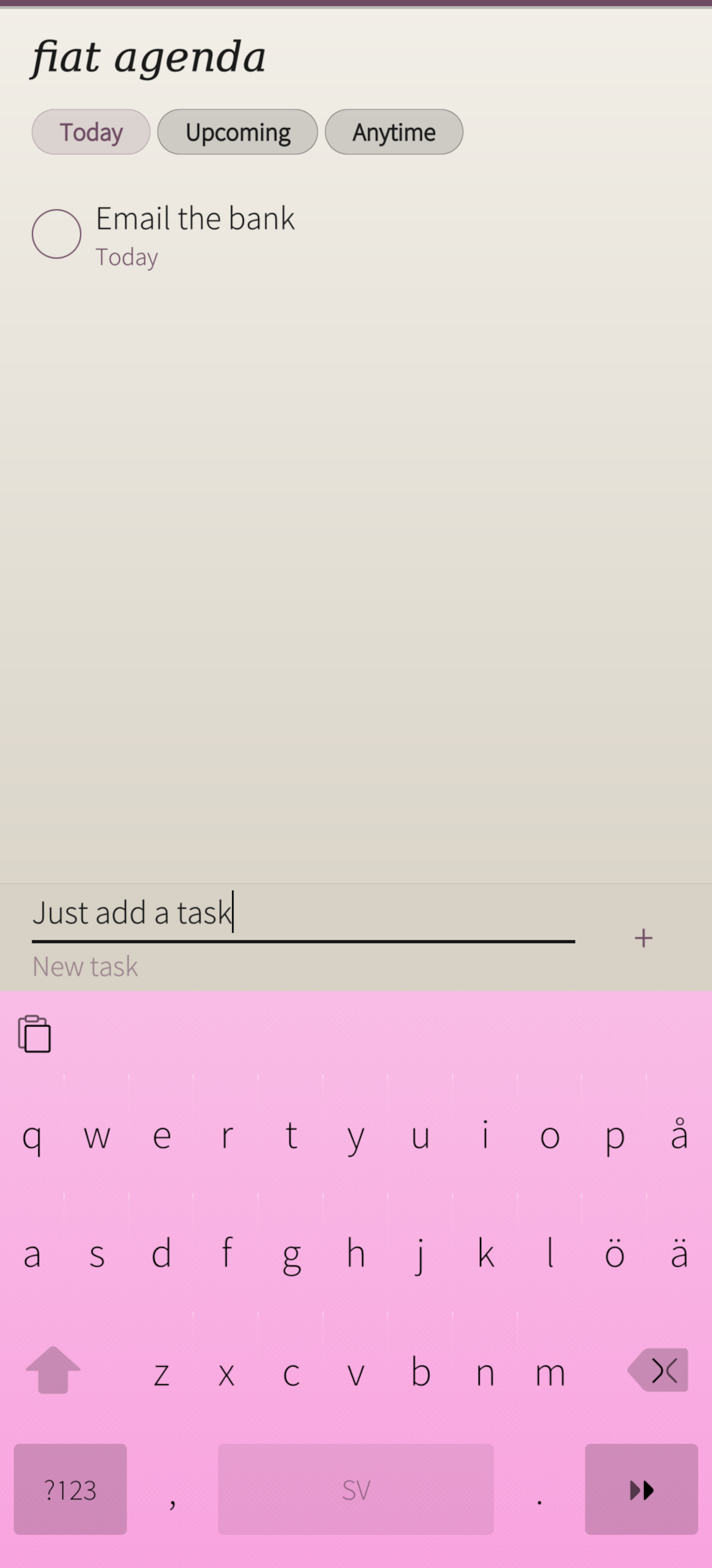
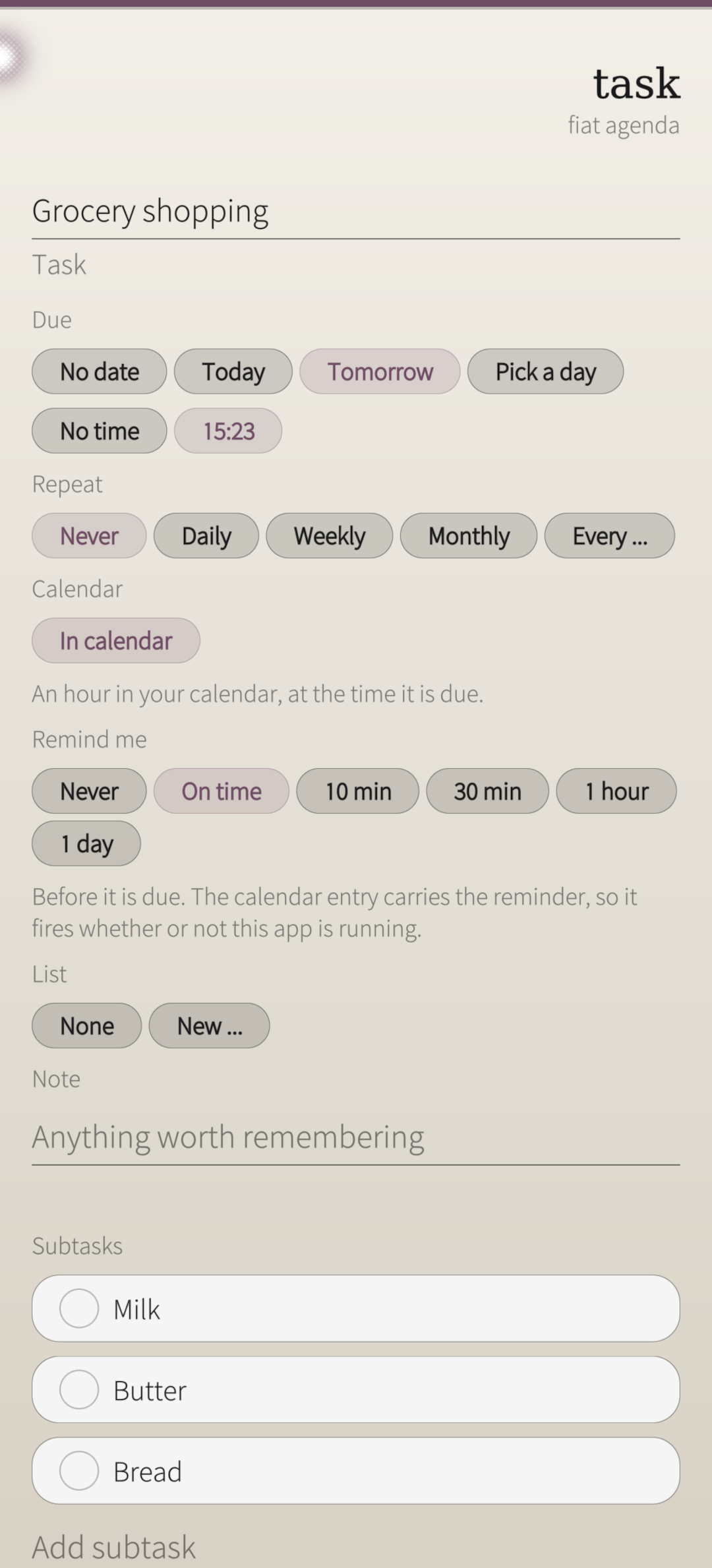
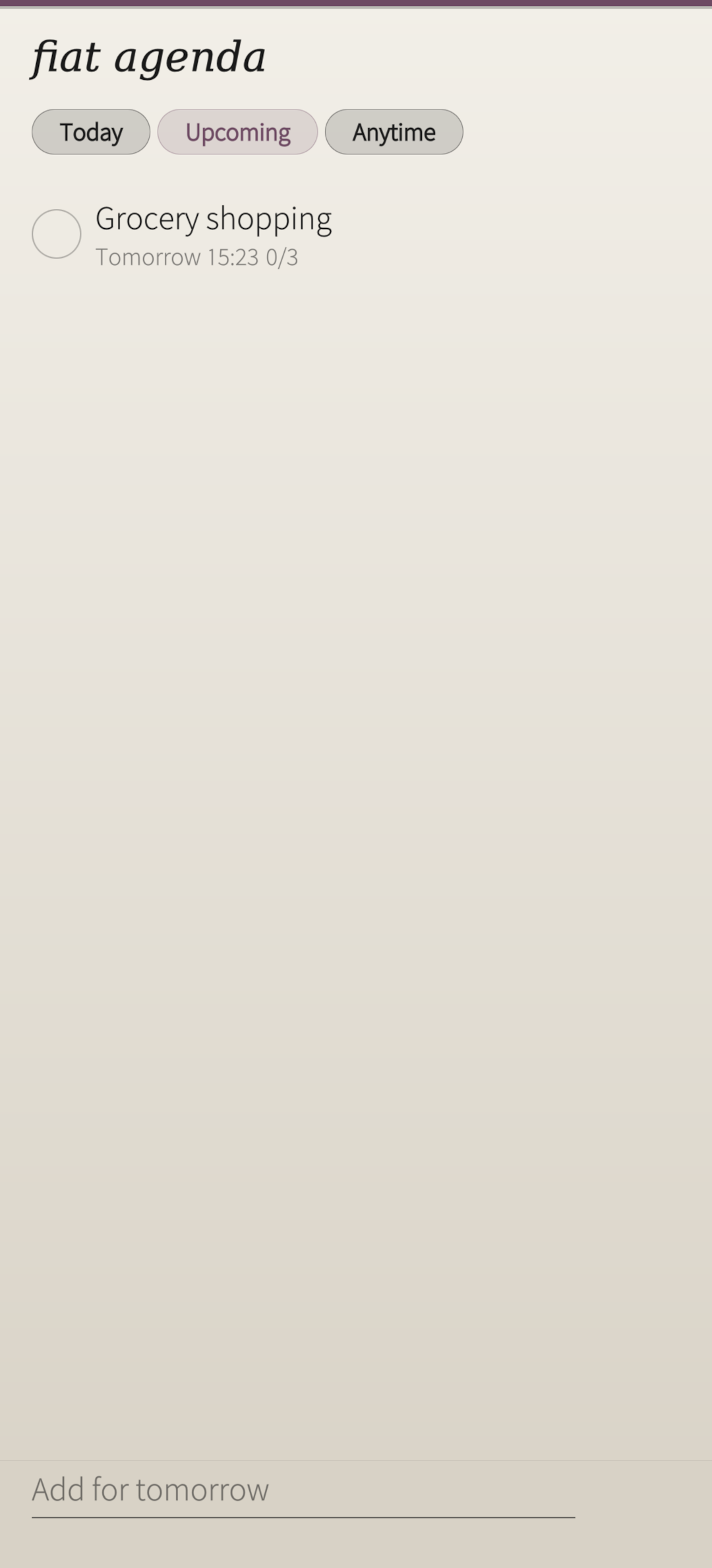
Buy milk. Call the dentist before Friday. Water the plants every Sunday, for as long as there are plants.
Most task apps want to know the project, the tag and the priority before they will let you write anything down. fiat agenda asks for the words. A date is optional, a time is optional, and no date at all is a proper answer rather than an unfinished one. CAPTURE The field is always there at the bottom of the list. Type, press return, done -- under two seconds, with nothing you are forced to fill in. Capture inherits the view you are standing in: type in Today and the task is due today, type inside a list and it joins that list. THE VIEWS Today, Upcoming and Anytime are computed from the dates, never curated. Overdue tasks belong to Today, because giving them a screen of their own only means two lists to read before breakfast. Anytime is a real home for everything with no date, in the order you dragged them into. WHAT A TASK CAN HAVE A due date, and optionally a time. One level of subtasks -- enough to break a job into steps, not enough to build a tree. A note. A list to belong to. A repeat: daily, weekly, monthly or yearly, which advances to the next occurrence when you tick it off rather than closing. Defer, to push something to tomorrow or next week without opening it. Press and hold a task for its menu: today, tomorrow, done, delete. Drag to reorder wherever manual order makes sense. Completed tasks are kept on their own page. Deleting is a real delete, behind the standard remorse timer -- there is no archive and no hidden copy. YOUR CALENDAR, IF YOU ASK Each task has two independent switches. One writes the task into your calendar as an event and keeps it in step: change the day or the time and the old event goes rather than a second one appearing. The other sets a reminder, which rides on that event, so it arrives whether or not the app is running. A task with both switches off never touches your calendar at all. FIAT COLOURS The app follows your ambience out of the box. One item in the pull-down menu switches it to Fiat colours instead: the family's own light paper and plum accent, the same palette in every Fiat app. The choice is remembered. WHAT IT IS NOT Not a project manager. No time tracking, no pomodoro, no kanban board, no plugins, no shared projects, no sync service. If a feature would only matter to someone running work across a team, it is not here, and that is the design rather than a gap. YOUR DATA Everything stays on this phone, in one file. There is no account, no network access, and nothing is measured or reported. The only permission the app asks for is your calendar, used only for the switches described above. THE NAME Latin: agenda, the things that must be done. A plural, from agere, to do. Fourth in the Fiat family, after fiat lux (a light meter for film), fiat vox (a chromatic tuner) and fiat mos (a habit tracker). Every name translates itself.Download
The easiest way to download and install this software is by the SailfishOS:Chum GUI app. If you wish to download the RPM file by yourself, please expand the section below.
Changelog
1.2-1 (2026-10-05)
- The About page lists the whole fiat family with full-size icons, and the
  package carries metadata for SailfishOS:Chum: title, icon and screenshots.
App information
- Package name
- harbour-fiatagenda
- Version
- 1.2-1.1.1.bso
- Licence
- MIT
- Developer
- Munkstolen
- Last updated
- 2026-10-12 19:52:05
- Download size
- 120.1 KiB
- Installed size
- 319.1 KiB
- Checksum (sha256)
- 629bd172dd45ff9170c2a04d98e10814cfafc730906277cf00818d3b7a209b60